


Blue Sky Plan Manual
Explore the complete Blue Sky Plan 5.1 user manual, from setup to every planning module.
Browse by chapter, or search by title and keyword to jump straight to any section.
6.3 3D Mouse Controls
BSP allows the user to use a 3D mouse. In order to use it, please download the software from this web page https://3dconnexion.com/drivers/.

After installation, open the 3Dconnextion Settings and click on Buttons to open the buttons menu. Make sure you have set Blue Sky Plan for 3D mouse settings.

In the buttons menu for Blue Sky Plan, set the left and right mouse buttons for the controls. Blue Sky Plan allows the user to set the controls for: File, Objects, Orthodontics, Panels and Perspectives.

The user is able to set basic functions such as undo/redo, copy/paste or camera controls. You can also set BSP functions which control the program's UI.

The controls for the 3D mouse for Blue Sky Plan have now been set.
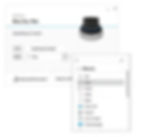
All options can be restored by clicking on the "Restore Defaults" button. For more advanced settings, click on the "Advanced Settings" button.
